
ChatGPT got a personality? 5 updates every creator should try
GPT-5.2, pinned chats & more...

Hey!
Some people spring-clean their closets. I spring-clean my AI tools. And after spending way too many hours poking around the newest ChatGPT updates, I can confidently say – this thing just became a little more human. A little smarter. A little too good at recommending gadgets I don’t really need.
So, if you’re a creative soloist juggling tabs, a tech-tired professional who wants less friction, or a curious tinkerer who likes shiny new toggles – this post is for you. Let’s explore the five ChatGPT updates that are about to shake up your workflow, plus a few tricks for fitting them neatly into your Mac setup.
1. Fine-tune ChatGPT’s personality
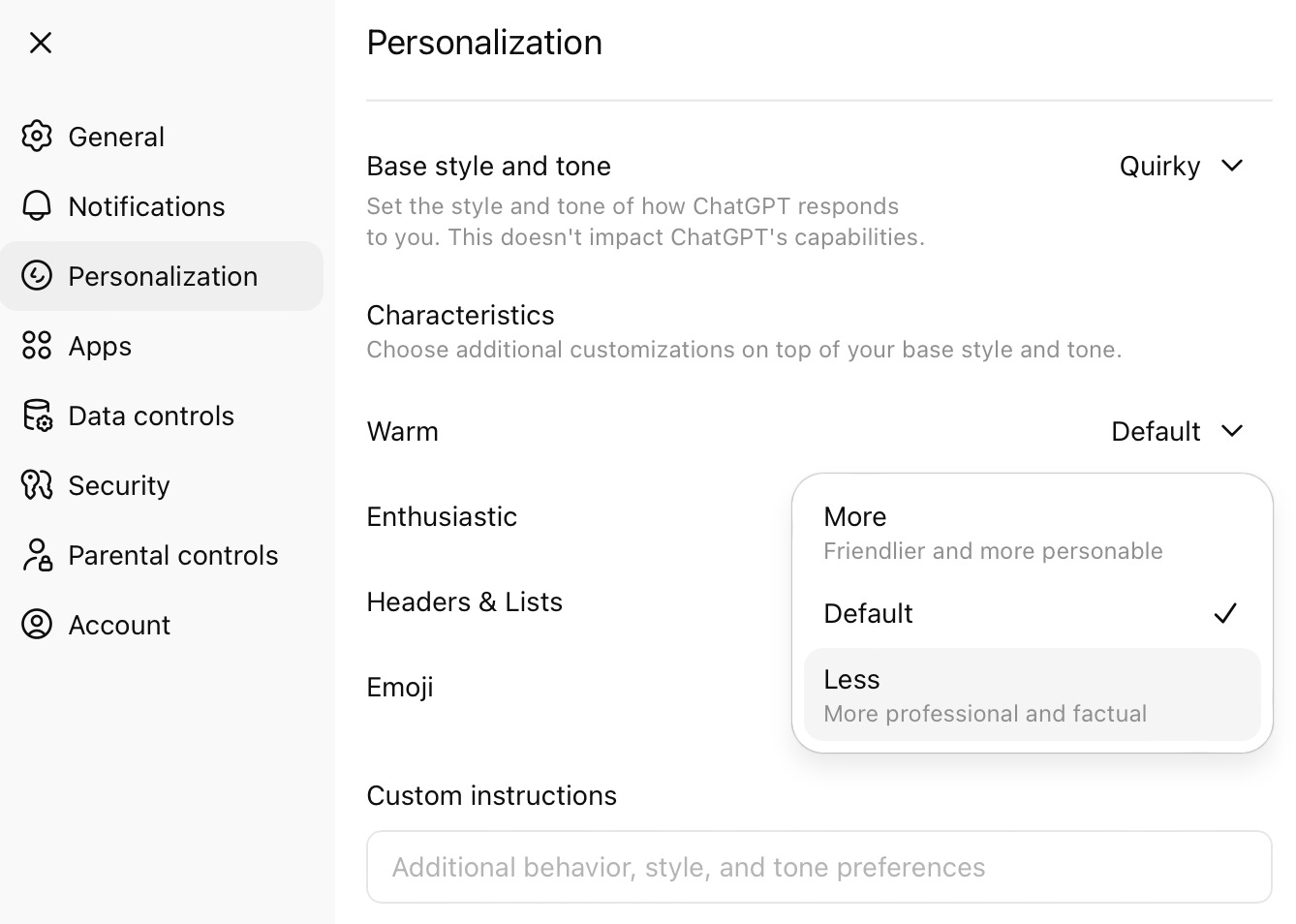
Finally! You can make ChatGPT sound less like a polite intern who’s afraid of contractions. The new personalization controls let you adjust tone and style – quirky, friendly, cynical, even nerdy. You can also tweak warmth and enthusiasm levels.
For anyone who gets annoyed by robotic replies or too-sweet politeness, this is a game-changer. Now your AI can actually match your vibe. Writers can make it sound more conversational; designers can tone down the fluff. Consider it a shortcut to having a digital assistant that actually “gets” you.
2. Get sharper, faster responses with GPT‑5.2
If your biggest gripe with ChatGPT was the occasional “uh... that’s not right” moment – GPT‑5.2 virtually wipes those out. It’s the latest model, running with better logic, faster processing, and updated knowledge through August 2025.
For creators who rely on data accuracy, translations, or tech-heavy writing, the Instant model now flies through complex prompts. Think: cleaner code, smarter summaries, and spreadsheets that format without 15 retries.
I tested it on a few gnarly financial breakdowns, and yep – it held up better than coffee at 2 a.m.
3. Interactive shopping assistant
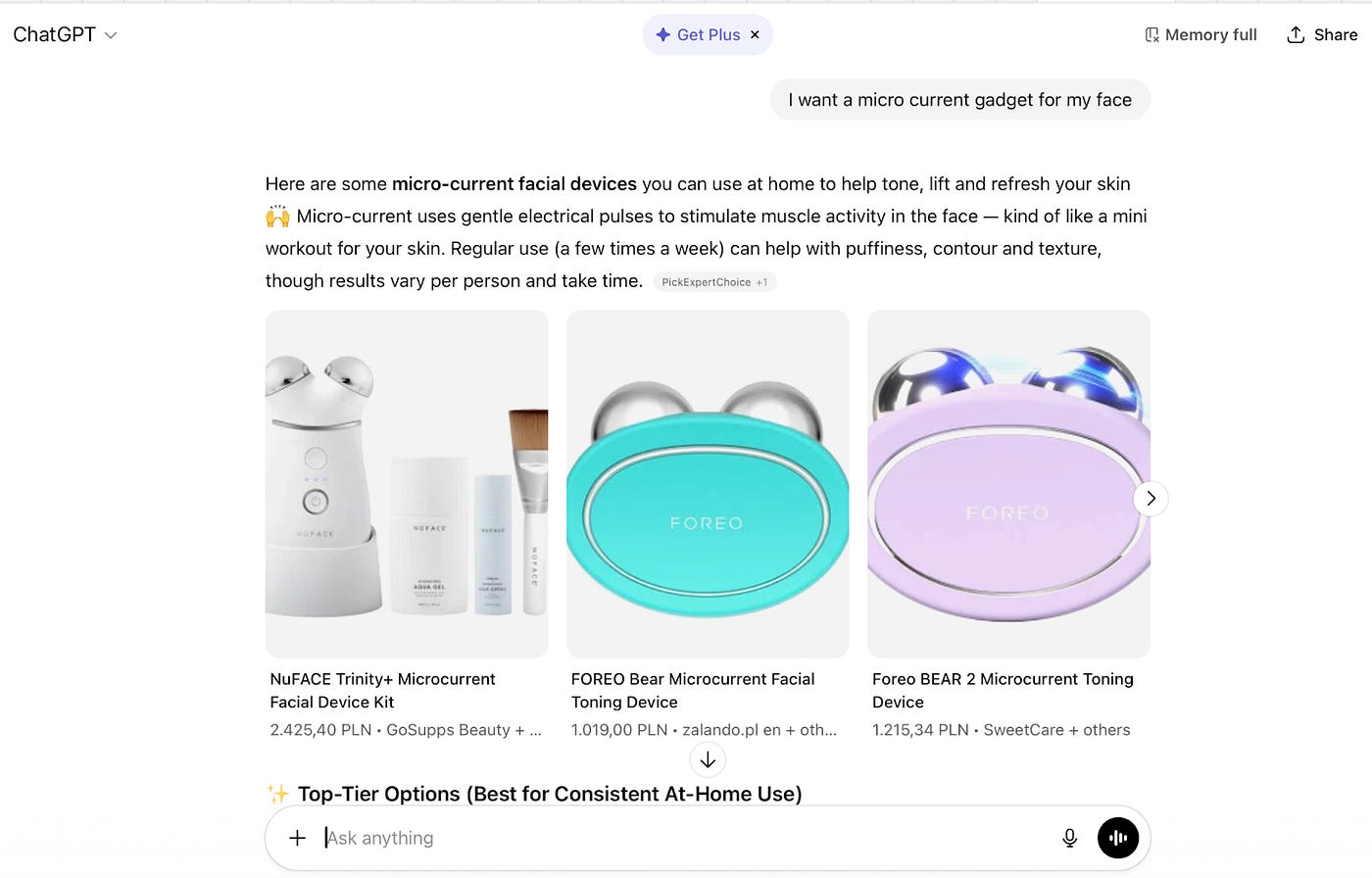
Here’s where things get suspiciously convenient. ChatGPT now moonlights as a shopping assistant – you can literally ask, “Find me a microcurrent gadget for my face,” and it’ll return curated links and starter tips.
I love that it saves me from opening ten tabs to compare specs. I don’t love that it might tempt me into “researching” skincare devices until 1 a.m.
It’s quick, though, and perfect for small business owners or creatives sourcing gear – cameras, mics, ergonomic desks – you name it.
4. Pin your chats
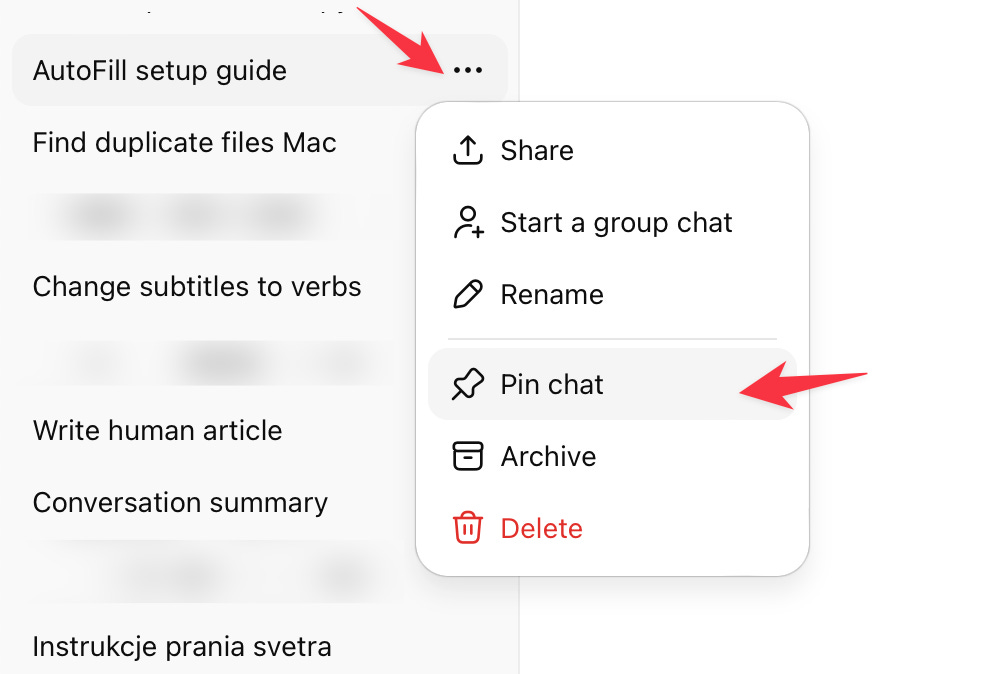
If your chat list looks like a digital junk drawer, rejoice: ChatGPT finally lets you pin important conversations. Keep your favorite prompts, client projects, or templates up top for easy access.
Honestly, it’s the kind of small update that makes a massive difference. I pinned my brand voice guide and my running list of automation prompts. Productivity went up; frustration went down.
5. The new in‑chat app directory
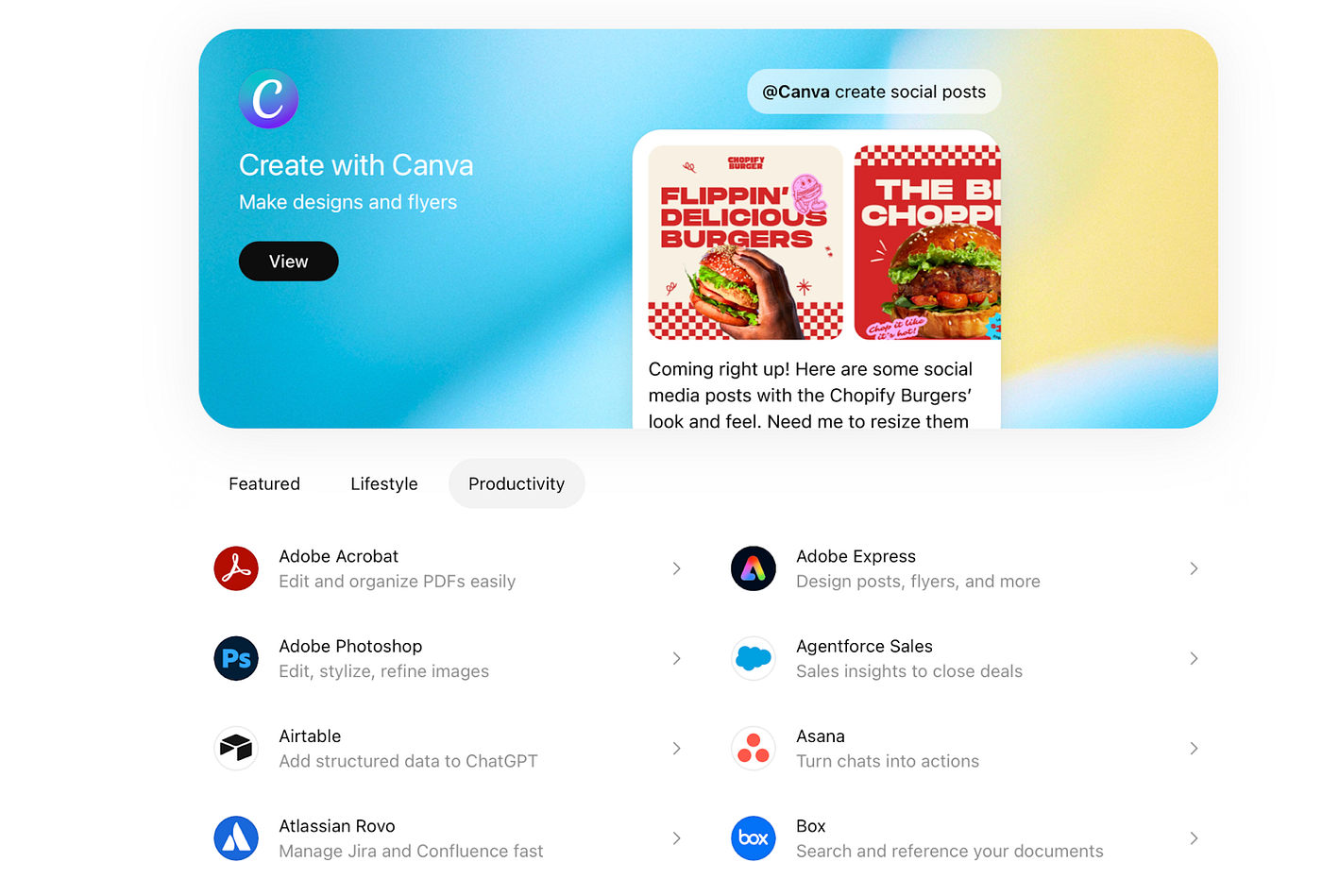
This one’s for the tinkerers. You can now search for third-party tools right inside ChatGPT – no external browsing required. The directory includes curated tabs like Featured, Lifestyle, and Productivity, helping you discover integrations that fit specific workflows.
Writers can find editing tools, designers can link creative libraries, and productivity nerds can connect tracking or automation apps.
How I fit ChatGPT into my workflow
Even with all these updates, ChatGPT can still cause a bit of chaos. So here’s how I keep things tidy:
Bike – My note‑organizing sidekick. When ChatGPT spits out a messy draft outline, I paste it into Bike to structure my ideas.
Raycast – A free Spotlight replacement that lets me launch ChatGPT with a shortcut. No clicking, no lag.
Notion – My creative archive. Everything finalized lives here – scripts, blog ideas, workflows.
Together, these tools keep my creative chaos slightly more contained…and slightly more productive.
So go ahead – curate your own flavor of ChatGPT. Just, you know, maybe don’t let the shopping assistant talk you into another desk lamp.