
Haven’t changed your Mac password in a while? Well, you’re at risk.
Avoid security nightmares!

Hey!
Hackers love re-used passwords, weak security settings, and that old login you’ve been using since high school. And let’s be honest – most of us don’t think about how to change a MacBook password until something bad happens.
Guess what? That’s exactly what happened to me.

The mistake that almost cost me my MacBook
I thought I was pretty good at security. I avoided phishing emails, never clicked sketchy links, and definitely didn’t use 123456 as a password. (Seriously, who still does that?)
But I did make one massive mistake – I reused my MacBook password. And one day, I got an email that made my stomach drop.
“Someone attempted to log in to your Apple Account from an unknown device.”
Instant panic. I checked my accounts, changed some passwords, and hoped for the best. But then, I got locked out of my own MacBook.
It turns out that once hackers have one of your passwords, they’ll try it everywhere. And they almost got in.
Almost.
Because thankfully, I changed my MacBook password just in time. And now? I take security way more seriously.
How to change password on MacBook
If you’re reading this and thinking, “Wait, should I change mine too?” the answer is yes. And it’s actually super easy.
Click the Apple menu and go to System Settings.
Click Users & Groups > Choose your user profile > Change Password.
Simply type your current password, then type in a new one.
Confirm it, and you’re already one step ahead of hackers.
That’s it. Five clicks to not have your Mac stolen by cybercriminals.
How to change a password on a Mac if it’s forgotten
Forgetting your MacBook password isn’t the end of the world (though it feels like it at the moment). Depending on your setup, here’s what you can do:
Use your Apple Account. See the option to reset with Apple Account? Follow the prompts.
Use another admin account. If there’s another admin on your Mac, they can reset it for you.
Use macOS Recovery Mode. Restart your Mac, hold Command + R, and use Terminal to type resetpassword.
Use the FileVault recovery key. If FileVault is enabled, you can use your recovery key to reset the password.
Not sure what is the best option for you? Apple’s guide has all the details.
The golden rules of password security
Yes, figuring out how to change my MacBook password in time saved me. Still, I knew I needed better habits to stay secure. So, here’s what I learned:
Never reuse passwords. Once hackers get one, they’ll test it everywhere.
Use a password manager. Because remembering 50+ passwords is impossible.
Make it long & random. A strong password is at least 12 characters, with a mix of letters, numbers, and symbols.
Enable two-factor authentication (2FA). Extra security means less stress.
Change your MacBook password regularly. At least every 6 months.
After all, these rules take just a few minutes but can save you months of dealing with a security breach.
The apps that now guard my digital life
After I realized that I had to take security seriously, I also learned that knowing how to change a password on a MacBook is just the first step.
To truly protect my data, I needed the right tools. That’s when I found two Mac apps that now keep my accounts intact.
1. Pareto Security: My silent security watchdog
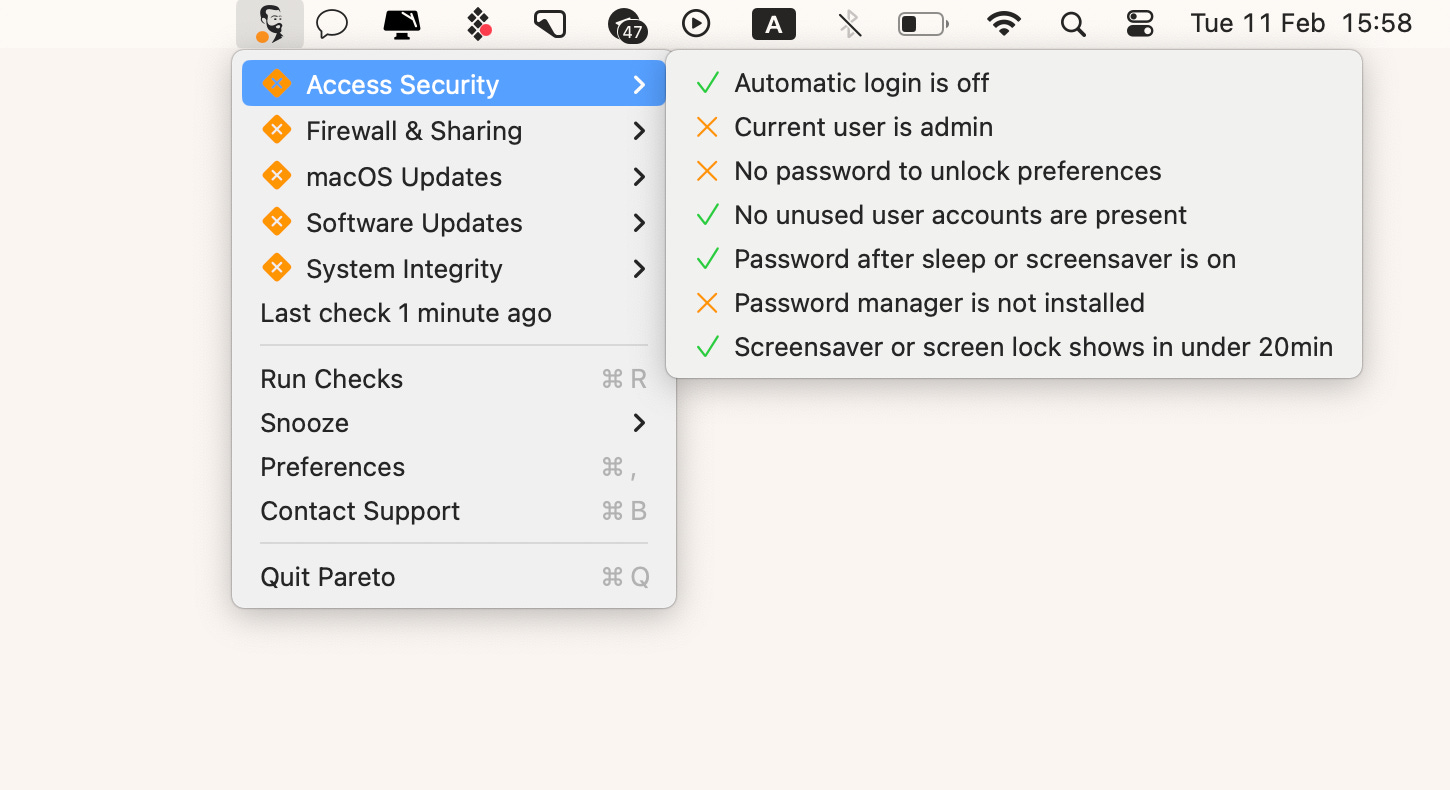
Pareto Security checks for vulnerabilities on my Mac before I even realize they’re there. It scans my system, alerts me to weak security settings, and even reminds me if I’ve been slacking on updates.
I never realized how many small gaps I had in my security until Pareto flagged them for me. Now, I know my Mac is locked down properly.
2. Secrets: The password manager I should’ve used years ago
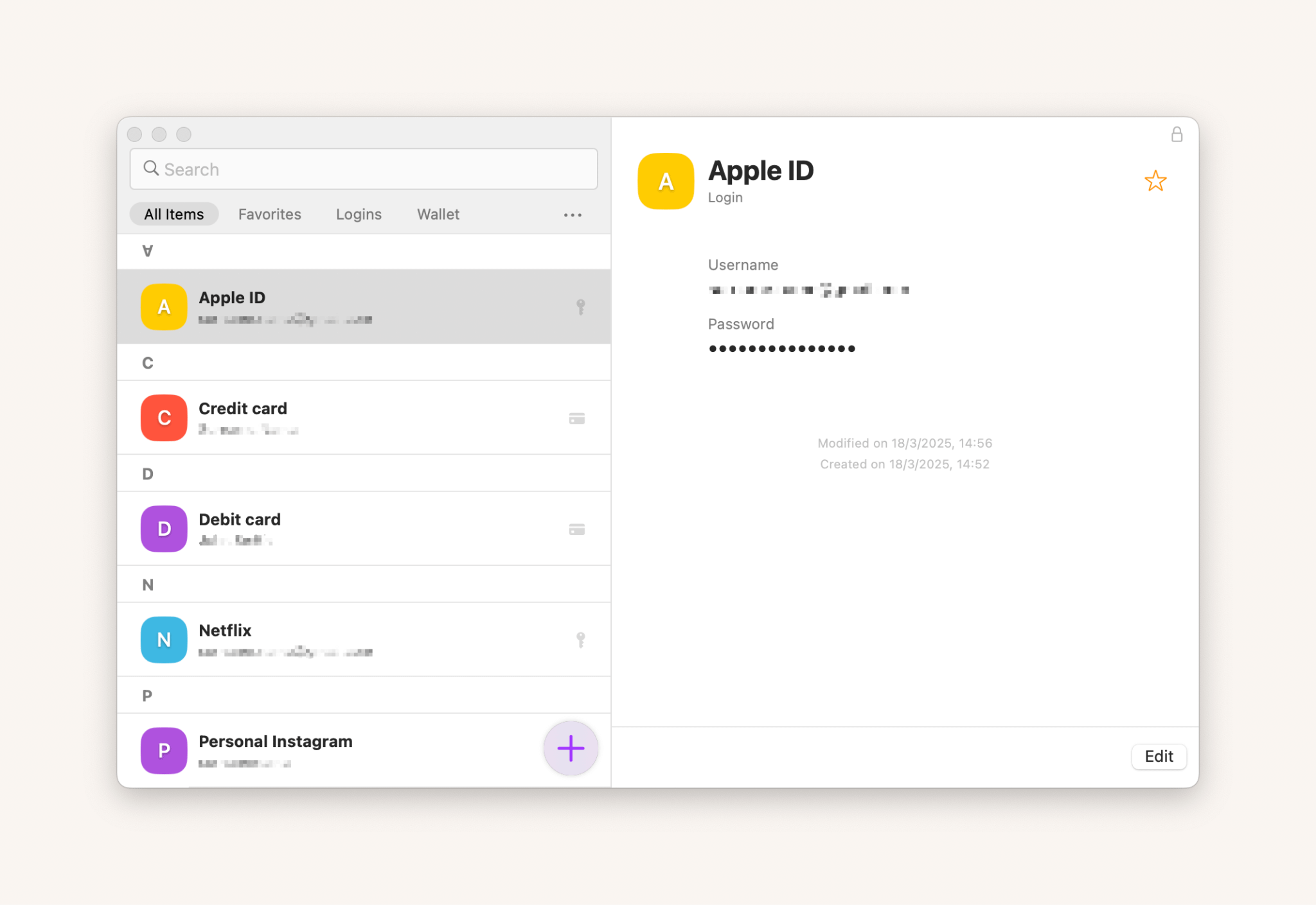
Secrets 4 stores all my logins, generates strong passwords, and auto-fills them for me. Before using it, I thought password managers were just for IT pros. Now, I can’t imagine life without it.
No more resetting passwords every time I forget them. No more weak logins. And definitely no more using “forgot MacBook password” as my search history.
Change your MacBook password now, thank yourself later
If you’ve been putting off updating your Mac password, this is your wake-up call. Hackers don’t need much to break in, and a weak password is basically an open invitation.
So do yourself a favor: change your password today, get a password manager, and stay ahead of the threats.
Trust me, you’ll never regret taking security seriously.